

Key Takeaways
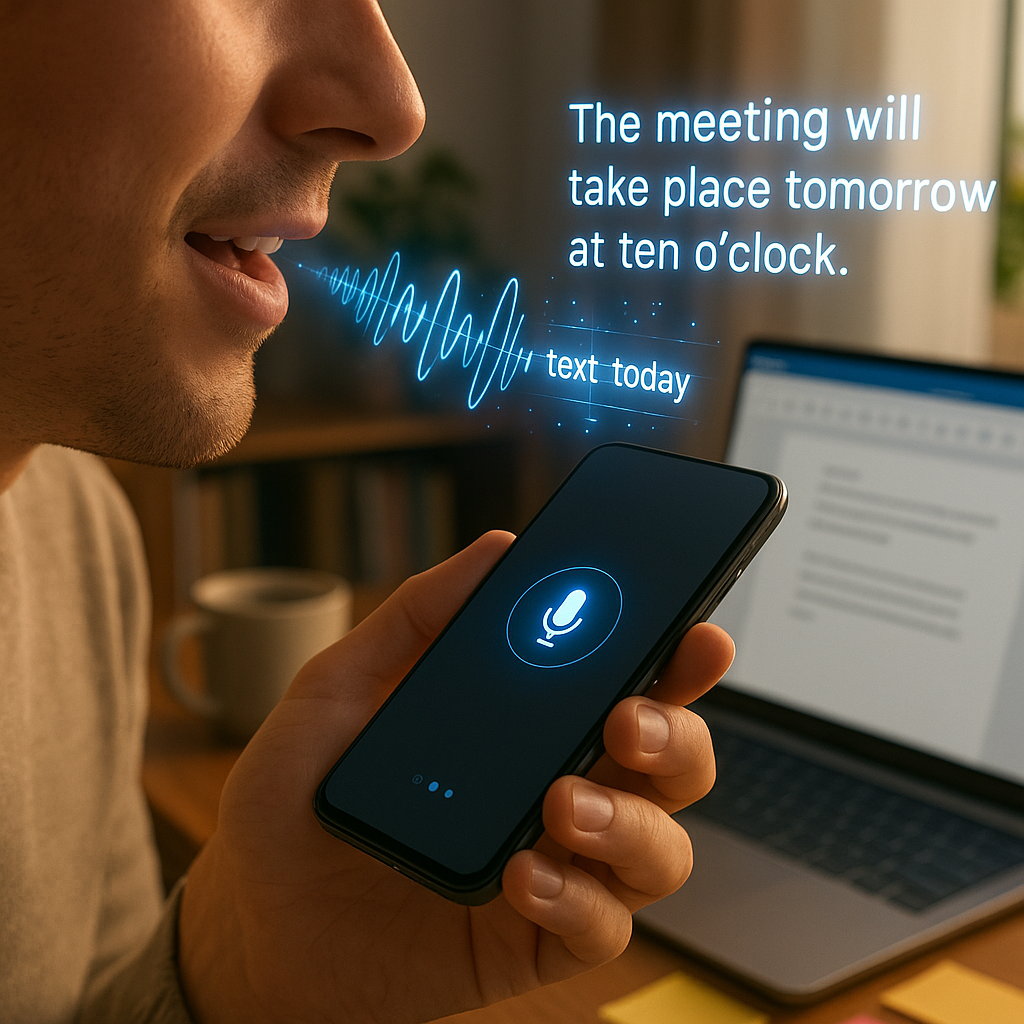
Speech-to-text and dictation tools are transforming productivity for people with ADHD. These tools do more than replace typing; they lighten the cognitive load and make capturing ideas effortless. They help cut through overwhelm and empower neurodivergent minds to work with less friction and more flow.
- Turn racing thoughts into instant notes, no typing required: Dictation apps allow users to bypass the struggle of capturing fleeting ideas before they disappear, making it easier to record inspiration in real time.
- Voice tools relieve both physical and mental fatigue: Shifting from keyboard to microphone reduces hand strain and saves mental energy otherwise spent on organizing, spelling, and structuring text.
- Speech tech bridges gaps caused by executive dysfunction: Dictation software lowers barriers to starting, finishing, and organizing tasks. This is crucial for ADHD brains that often face inertia and overwhelm.
- Personalized setup unlocks true ADHD-friendly productivity: Customizing speech tools (such as setting up specific commands, vocabulary options, and integrations) ensures the solution fits individual needs and daily routines.
- Offline and integrated options ensure accessibility anywhere: Leading speech tools offer offline modes and can sync with to-do apps, cloud services, and note systems. This makes productivity possible on campus, during meetings, or at home.
- Accuracy keeps pace with fast, tangential thinking: Advanced speech recognition can handle scattered thought patterns, making it possible to turn messy streams of consciousness into usable text.
- More than mechanics: voice tools ease cognitive burden and emotional stress: Beyond efficiency, dictation tools reduce anxiety about “getting it right.” They support neurodivergent users in working with their unique brain wiring, not against it.
Ready to find which tools fit your brain, your workflow, and your goals?
Read on for practical strategies for choosing, setting up, and optimizing speech technology designed for the strengths of ADHD minds.
Introduction
Speech tools for ADHD are changing the way neurodivergent thinkers get ideas out of their heads, finish tasks, and avoid the frustration and fatigue that often come with typing. If your thoughts move faster than your fingers, or if executive dysfunction turns a blank page into a roadblock, voice dictation apps and audio transcription can transform your productivity.
By turning rapid-fire ideas into instant notes and swapping keystrokes for spoken words, these tools ease both physical and mental strain. The right speech tools let you organize, execute, and remember with less stress. This paves the way for a more ADHD-friendly and sustainable workflow.
This guide dives into practical ways to select, set up, and tailor the best speech tools for your brain, so you can unlock your strengths and work with your natural style—not against it.
Understanding Speech Tools & Their Value for ADHD Brains
To appreciate the impact of speech technology, it helps to understand why traditional typing often falls short for people with ADHD.
The Cognitive Disconnect: Why Typing Can Be Exhausting
For many with ADHD, there’s a frustrating divide between thinking and writing. The challenge extends beyond typing speed. It lies in how cognitive processing gets disrupted when thoughts race ahead, leaving fingers scrambling to catch up. This mismatch can result in:
- Lost ideas as thoughts vanish before you manage to write them down
- Mental fatigue from juggling inspiration and working memory
- Perfectionism paralysis in which real-time editing slows creative flow
- Task avoidance because translating thoughts to text feels overwhelming
What many experience as “typing fatigue” is more than finger discomfort. It’s a combination of mental and physical exhaustion that arises from forcing non-linear thoughts into a linear system.
The Liberation of Speaking vs. Typing
Speech lets many ADHD brains communicate in a way that feels more natural and less taxing. When speaking, you can:
- Express ideas at a pace closer to how you think (about 150 words per minute, compared to 40 while typing)
- Maintain your train of thought with fewer interruptions
- Capture thoughts in their raw, unedited form
- Free up executive function resources normally spent on the mechanics of writing
For neurodivergent minds, this streamlined process can be life-changing. Speech tools remove the “middleman” between inspiration and documentation, creating a direct route from brain to note.
Types of Speech Tools for Different ADHD Needs
As speech technology has evolved, a range of solutions have emerged for different situations and workstyles.
General-Purpose Dictation Software
These tools operate across multiple platforms and serve as the foundation for everyday voice productivity:
- Microsoft Dictate: Part of Microsoft 365, allowing you to dictate in Word, Outlook, and PowerPoint.
- Google Voice Typing: Available in Google Docs and across Google’s workspace.
- Apple Dictation: Built into iOS and macOS, providing system-wide dictation.
General-purpose options are ideal for quick captures, email drafting, and multi-platform use, which is especially useful when you need reliable voice input with minimal setup.
Dedicated Voice-to-Text Applications
For users who need more features or higher accuracy, specialized dictation apps provide advanced capabilities:
- Dragon Professional: Known for industry-leading accuracy and robust customization, especially in professional contexts.
- Otter.ai: Offers real-time transcription, speaker identification, and meeting summaries.
- Just Press Record: A user-friendly mobile app for immediate recording and transcription.
- Speechify: Combines text-to-speech and speech-to-text for seamless digital workflow.
These tools give you additional control, accuracy, and flexibility, which is critical when revisiting and editing drafts can be especially draining.
AI-Enhanced Dictation Tools
Artificial intelligence is now powering a new generation of speech tools that do more than transcribe:
- Whisper AI (integrated in various apps): OpenAI’s advanced speech recognition technology delivers exceptional accuracy.
- Notion AI: Incorporates dictation with intelligent organization, helping structure notes and ideas.
- Tldv.io: An AI assistant that records, transcribes, and summarizes meetings.
- Fireflies.ai: Automates meeting notes, making information easily searchable and actionable.
By automatically organizing and structuring content, these AI-driven solutions help users not only capture but also make sense of fast, tangential thinking.
Mobile-Specific Solutions
Mobile dictation tools bring spontaneous idea capture to your pocket:
- Voice Notes (iOS/Android): Built-in audio recording on most smartphones, ready when inspiration strikes.
- Voice Dream Writer: Integrates dictation with text-to-speech for more fluid editing on the go.
- Rev Voice Recorder: Records and transcribes audio efficiently, with professional-grade transcription for more formal needs.
Mobile speech tools ensure thoughts are never lost, even when you’re in motion or away from your desk. For many with ADHD, that’s a game changer.
Expanding the Impact: Speech Tools Across Industries
Speech technology isn’t limited to creative work or daily productivity. Its transformative potential is being realized across sectors:
- Healthcare: Physicians use voice-to-text for faster, more accurate medical records and patient documentation.
- Education: Students with ADHD and other neurodivergences rely on dictation to compose essays, take lecture notes, and participate in remote learning with less friction.
- Legal: Attorneys use dictation for drafting contracts on the go, while AI tools help transcribe depositions and case notes.
- Finance: Speech recognition powers faster report generation and note-taking during meetings, reducing manual workload.
- Marketing and Content Creation: Creative teams brainstorm campaigns, record client briefs, and draft content more quickly using voice tools, freeing up time for strategy.
- Retail and E-commerce: Managers dictate inventory updates, log incidents, or communicate directly with suppliers via mobile dictation, streamlining daily operations.
By providing tailored solutions for a diverse range of needs, speech-to-text technology isn’t just a niche productivity hack; it has become a force multiplier in nearly every field.
How Speech Tools Address Specific ADHD Challenges
Speech tools can make the difference between overwhelm and accomplishment by directly targeting core ADHD pain points.
Capturing Fleeting Thoughts
ADHD brains are famous for brilliance that bursts and fades just as quickly. Dictation tools address this by:
- Allowing for instant capture, often with just a single tap
- Supporting voice input while moving or multitasking, which can actually boost idea flow for many neurodivergent thinkers
- Eliminating the need to context switch between creative thought and mechanical action
- Removing the friction that keeps good ideas trapped in your mind
With every thought captured, confidence grows, and so does your capacity for creative output.
Reducing Executive Function Demands
Executive function hurdles often derail even the most motivated plans. Speech tools make the process more accessible by:
- Reducing decisions around structure, spelling, and formatting during the initial draft
- Streamlining the workflow from thought to note, skipping unnecessary steps
- Preserving mental energy for high-level thinking
- Dividing the creation and editing phases to better match ADHD brain dynamics
When the complexity of writing is taken off your plate, your energy and attention can go where they’re needed most.
Maintaining Flow State and Hyperfocus
The ability to sustain deep focus, or hyperfocus, can be a major ADHD asset if you have the tools to ride the wave. Speech tools help you:
- Speak as quickly as ideas appear, minimizing disruptions
- Continue working uninterrupted, without physical discomfort or lost momentum
- Record ideas while in motion, supporting both physical movement and mental flow
- Extend creative sessions beyond what’s sustainable with typing alone
These features allow for a workflow that’s more in sync with how neurodivergent minds operate.
Overcoming Writing Anxiety and Perfectionism
For many, the anxiety of a blank page or the paralysis of perfectionism stops progress before it starts. Speech tech can flip the script by:
- Providing comfortable emotional distance from the text, which makes editing feel less personal
- Lowering the pressure for perfect sentences, encouraging a “brain dump” mentality
- Allowing you to create a concrete draft, countering “blank page syndrome”
- Establishing an expectation for revision, so the initial output can be raw and unfiltered
By separating the processes of speaking and refining, these tools turn daunting projects into manageable, iterative steps.
Choosing the Right Speech Tool for Your ADHD Brain
Selecting a speech-to-text tool is about more than just accuracy. It’s about finding a solution that matches your work style, workflow, and the nuances of your neurodiversity.
Key Features to Prioritize
For the ADHD user, certain features can make or break your experience:
- Quick activation: Reduce the steps needed to start recording. Look for tools with one-tap or voice-command startup.
- Continuous listening modes: Ability to pause and resume sessions without restarting.
- Smart error correction: Tools that make it easy to fix misheard words without breaking your flow.
- Cloud synchronization: Automatic backups to ensure nothing gets lost.
- Cross-platform availability: Seamless access across devices for better task-switching.
- Privacy controls: Offline functionality for sensitive or confidential work.
The specifics that matter most will depend on your individual ADHD profile. Still, activation speed and simple error correction are key to ensuring you keep coming back to the tool.
Matching Tools to Your Specific ADHD Profile
Not every ADHD presentation is the same. Choose features that align with your unique needs:
- Primarily inattentive type: Prioritize tools with autosave, strong session recovery, and bookmarking.
- Primarily hyperactive-impulsive type: Select options that allow for movement while speaking and include robust voice controls for punctuation.
- Combined presentation: Use multi-modal tools that let you seamlessly toggle between typing and dictation.
Also, consider overlapping needs such as auditory processing differences. Select tools with real-time visual feedback or accessible editing interfaces if you need them.
Budget Considerations for Different Needs
Speech tool pricing varies widely. Here’s what to keep in mind:
- Free options (e.g., built-in dictation): Good for light or occasional use and for testing if speech-to-text works for you.
- Subscription-based tools (typically $10–30/month): Provide more accuracy and features, ideal for consistent but moderate use.
- Premium software ($150–500): Delivers top-tier accuracy and deep customization. A solid investment for heavy daily users or professionals.
Start simple, then scale up your investment if you find your productivity or wellbeing significantly improved.
Setting Up Your Speech-to-Text Environment for Success
Maximizing the benefits of speech technology depends on setting the right stage.
Creating an ADHD-Friendly Dictation Space
Your environment can make a big difference in how well dictation works:
- Minimize audio distractions: Choose a space with steady background noise or use noise-canceling headphones to avoid unpredictable interruptions.
- Use quality hardware: Invest in a dedicated microphone or headset if possible. This enhances both accuracy and ease of use.
- Ready your workflow: Arrange your tools (apps, notes, devices) so you can move smoothly between dictation, review, and editing.
- Personalize shortcuts: Set up voice commands, custom vocabularies, or integrations with your favorite task managers or note apps.
- Practice your flow: Spend a few minutes learning your tool’s specific commands so you can dictate periods, new lines, or add punctuation without stopping.
Personalization and preparation minimize friction, which boosts the odds you’ll stick with speech tools in the moments you need them most.
Conclusion
Adopting speech tools is more than a productivity tweak for neurodivergent minds. It unlocks a new relationship with your thoughts, where fleeting inspirations are captured, expressed, and turned into action with less frustration and more ease. As speech recognition technology surges ahead, with AI enhancements, sector-specific solutions, and deeper personalization, the possibilities for neurodivergent professionals, students, and creatives only grow.
Looking forward, those who integrate voice technology and adapt their workspaces to support ADHD-friendly workflows will gain not just efficiency but clarity, confidence, and creative control. The tools are here, the strategies are clear, and the future belongs to those who dare to match systems to their brains instead of forcing their brains into outdated systems.
Are you ready to build your workflow around your strengths, not your struggles?
Explore speech-to-text technology, try new setups, and discover how these solutions can help you turn everyday challenges into powerful levers for growth and brilliance.


Leave a Reply